![Blackbg.png]](https://help.comparables.ai/hs-fs/hubfs/Logo/Blackbg.png?height=40&name=Blackbg.png)
Export Usage & Service Credits
This article explains how export usage is calculated for different data types on Comparables.ai and how service credits apply across features. Your specific credit limits are defined in your contract or order form.
Company Export
Definition
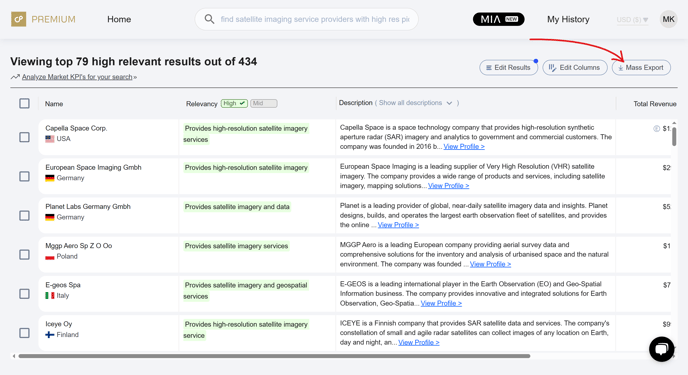
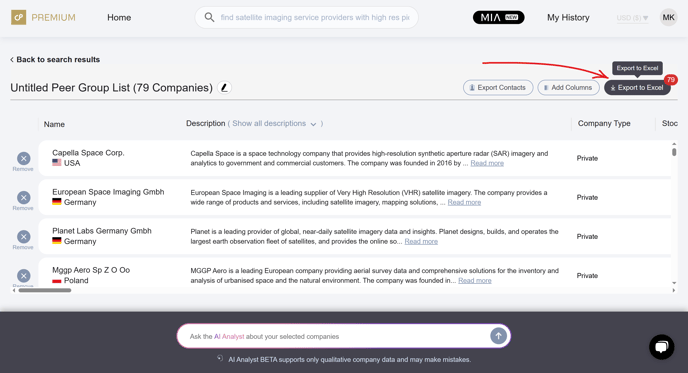
Company Export usage refers to the number of companies exported through the Mass Exports and Analysis Exports pages. Users can include a wide range of columns in these exports, such as latest and historical financials (where available), and qualitative items like business descriptions and product or service descriptions.
Usage Calculation
Each exported company counts as 1 company export credit, regardless of the number of columns or data points included.
Detailed Historical Financial Exports
Definition
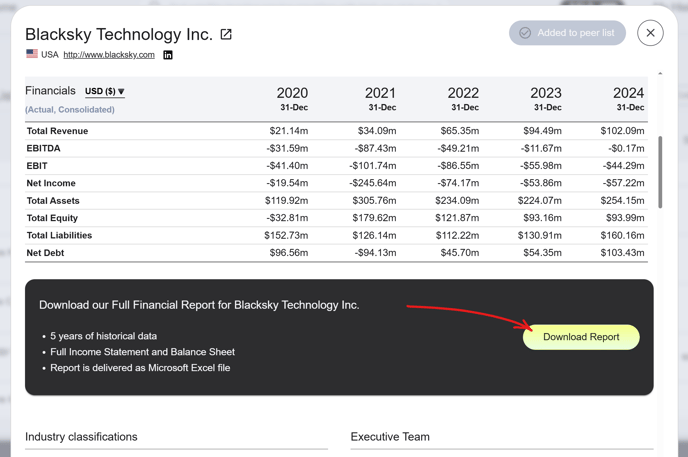
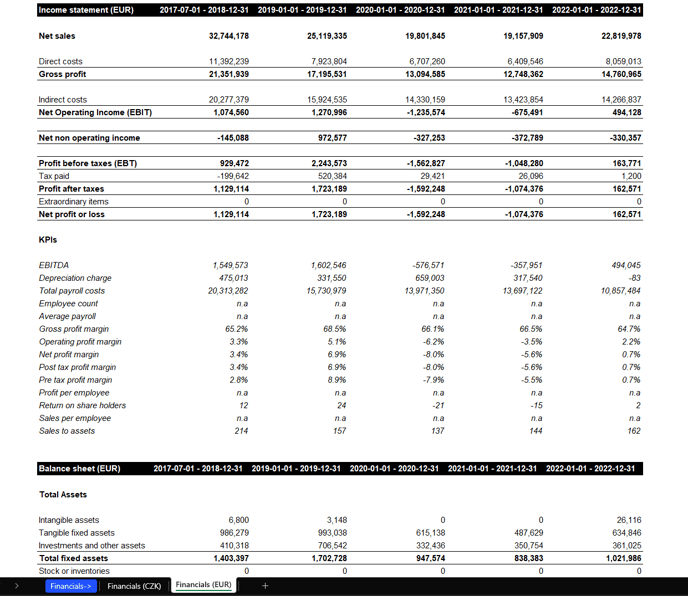
This feature allows users to export a detailed 5-year historical financial data report, including standardized Income Statement and Balance Sheet items.
Example output:
Usage Calculation
Each export of detailed financial data for a company counts as 1 detailed historical financial export credit, regardless of the time period included in the file.
Note: These credits are tracked separately from standard company export credits.
Trading Multiples Exports
Definition
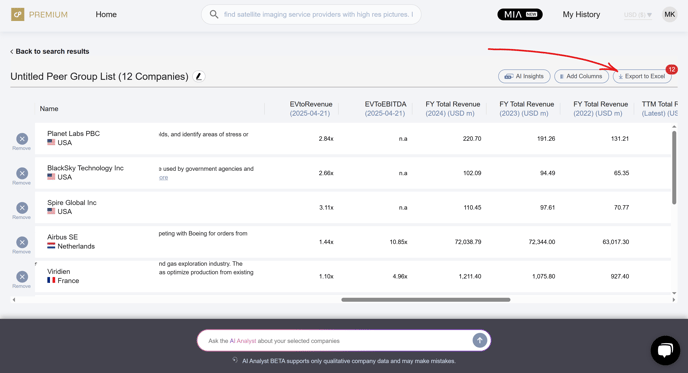
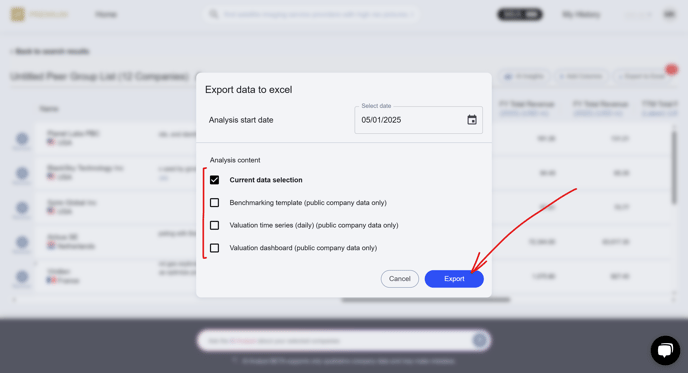
Public Company Trading Multiples Exports include financial ratios and valuation metrics (e.g., EV/Revenue, EV/EBITDA, P/E) for stock-listed companies.
Usage Calculation
Each company included in a multiples export counts as 1 trading multiples export credit.
M&A Transaction Data Exports
Definition
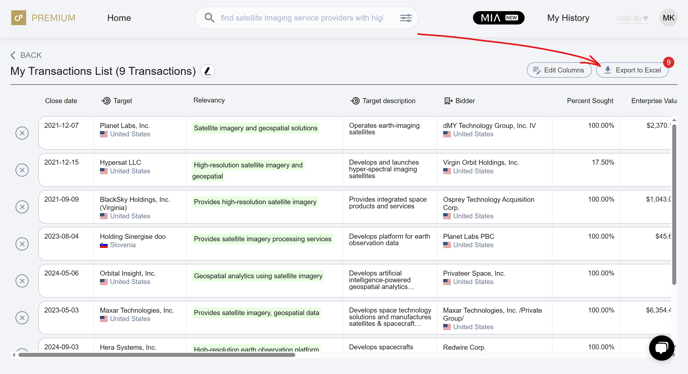
M&A Transaction Exports include detailed deal data such as deal size, participants, valuation multiples, and more.
Usage Calculation
Each transaction included in a transaction export counts as 1 M&A transaction export credit.
Contact Export
Definition
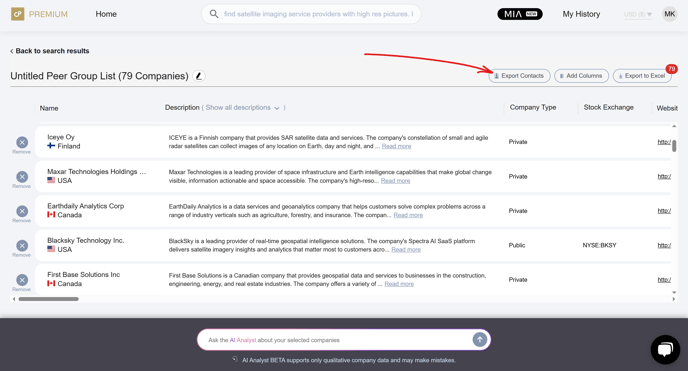
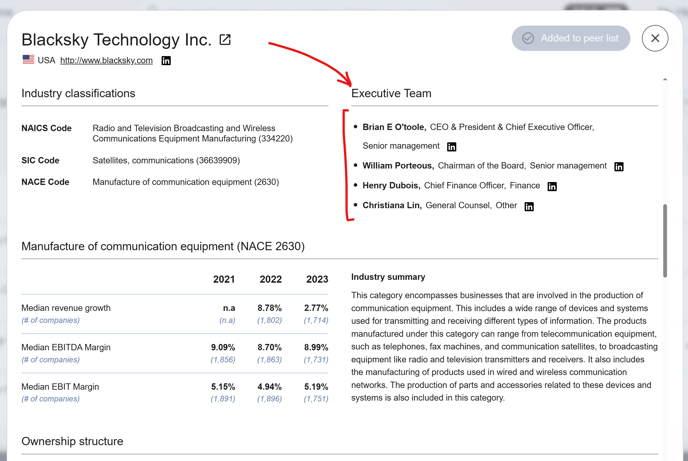
A Contact Export includes any export containing an email and/or phone number for a company executive or decision-maker.
Usage Calculation
Each exported contact (email and/or phone number pair) counts as 1 contact export credit, regardless of whether one or both data points are available.
Managing Usage & Upgrades
To view your current export usage or upgrade your plan for additional credits, visit your Account Profile or reach out to our Support Team via support@comparables.ai